📱
Just your iPhone
No need to move files to a computer or use another app. Open Patreon in Safari as usual and save right there.
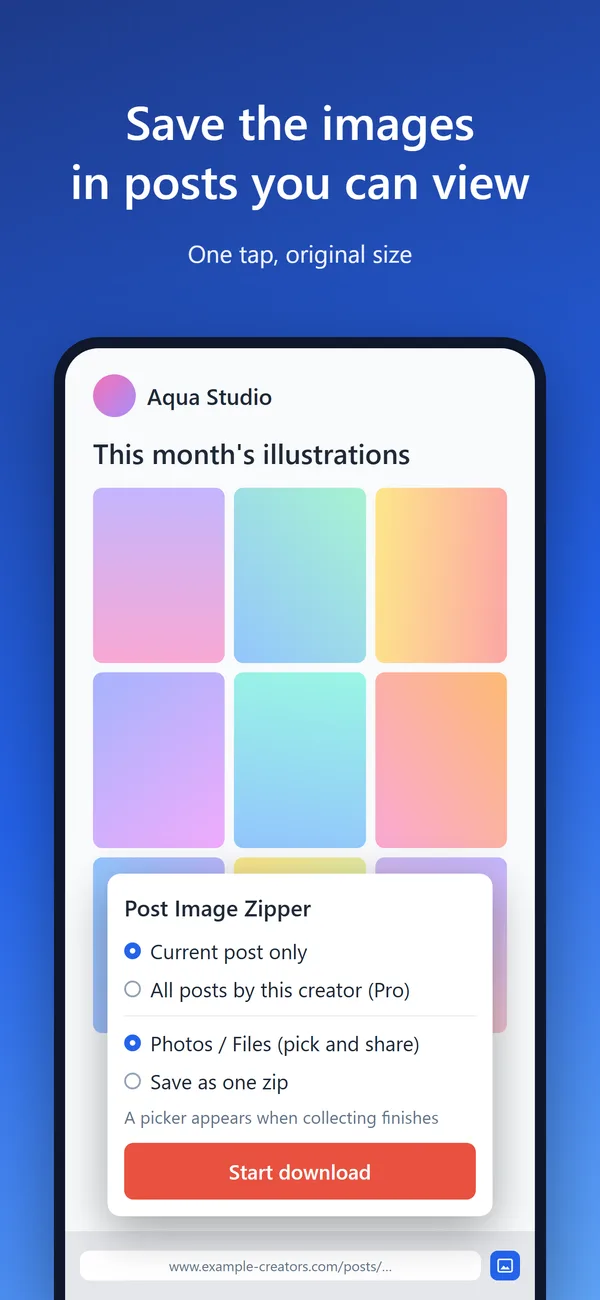
No computer needed. With Post Image Zipper for Safari, just Safari on your iPhone collects the images in a Patreon post at their original size and saves them straight to Photos. It also works in Safari on iPad and Mac.
For Chrome and Firefox on a computer, see Post Image Zipper.
FEATURES
No need to move files to a computer or use another app. Open Patreon in Safari as usual and save right there.
Pick the images to keep and tap "Save Image" in the share sheet. "Save to Files" and zip are also available.
Saves the original images in the post, not the smaller versions shown on screen.
With Pro, there is no limit per save, and you can save the images from all of a creator's posts at once.
Images download from Patreon straight to your device and never pass through our servers. No account needed.
iPad works just like iPhone. On Mac it saves a zip to Downloads, and you can choose Photos in the settings.
SCREENS
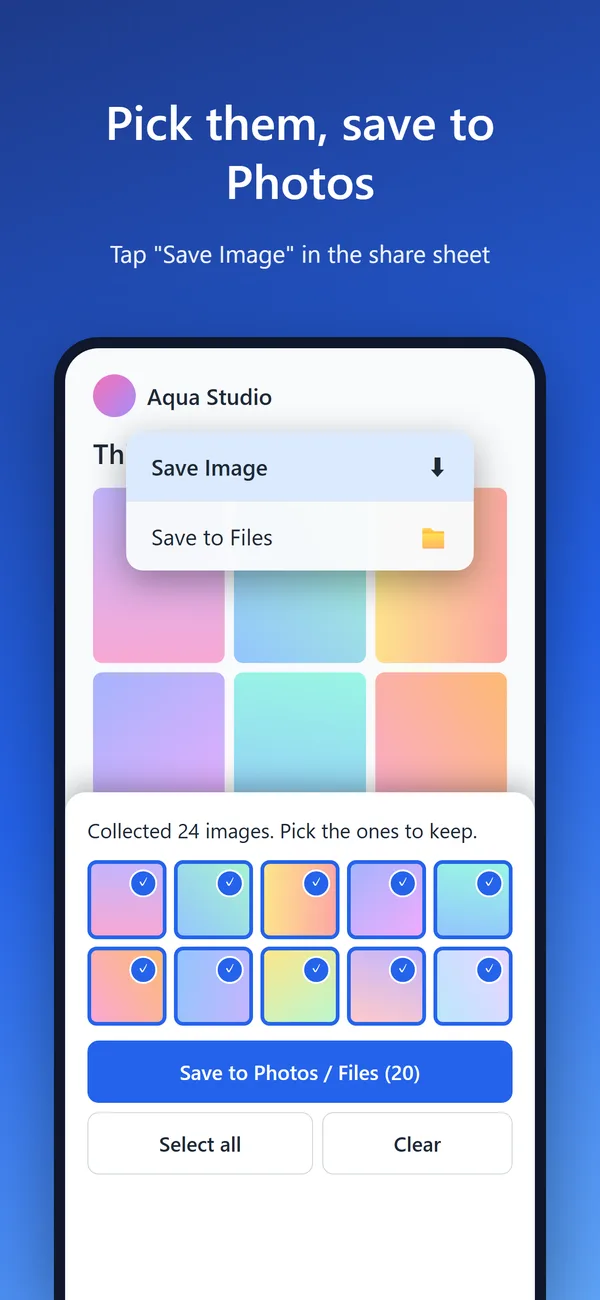
Screens show sample content
HOW TO USE
If you choose zip in settings, it is saved to Downloads in the Files app on iPhone and iPad, and to the Downloads folder on Mac.
PRICING
| Feature | Free | Pro |
|---|---|---|
| Images per save | Up to 20 | Unlimited |
| Save the post you are viewing | ○ | ○ |
| Save all of a creator's posts | — | ○ |
| Devices | Unlimited | iPhone, iPad and Mac on the same Apple Account |
Pro is a one-time App Store in-app purchase. The price for your region is shown in the App Store. On another device, tap "Restore Purchases" in the app.
FAQ
Q. Can I save Patreon images to Photos on iPhone?
Yes. Pick the images to keep and tap "Save Image" in the share sheet.
Q. Does it work in the Patreon app or Chrome?
No. It is a Safari extension, so open patreon.com in Safari.
Q. Can I use my Chrome or Firefox license key?
No. Pro for Post Image Zipper for Safari is purchased in the App Store and is separate from the Chrome and Firefox license. However, if you buy Pro for Chrome or Firefox before the Safari version launches, we will give you a code to buy the Safari version for the difference (early-buyer offer).
Q. If I buy Pro on iPhone, can I use it on Mac?
Yes. Pro works on any iPhone, iPad or Mac signed in with the same Apple Account. If it doesn't, tap "Restore Purchases" in the app.
Q. Can I save images from posts I don't support?
No. It only saves images from posts your account can view (posts in tiers you support and public posts).
Q. Can I share or upload the images I saved?
No. Saving is for your own personal, non-commercial enjoyment. Redistributing creators' work is also prohibited by Patreon's terms.
Q. How do I get a refund?
Purchases are made in the App Store, so please request a refund from Apple (reportaproblem.apple.com).
Q. Is this an official Patreon app?
No. Post Image Zipper for Safari is made by 3810 PRODUCTION and is not affiliated with Patreon.
Contact: contact@apps.3810.pro
It's free to install. Try the free version on a post you are viewing on your iPhone.
Post Image Zipper for Safari is an app by 3810 PRODUCTION and is not affiliated with Patreon. Patreon is a trademark of Patreon, Inc. Apple, iPhone, iPad, Mac, Safari and App Store are trademarks of Apple Inc.
← 3810 PRODUCTION