📱 APPLICATION

Apps

Small, handy apps made in Japan by 3810 PRODUCTION: tools that check your phone's display, earbuds and controllers, a widget app for self-hosted analytics, browser extensions and a Windows app. Apps not listed here are available in Japanese only.

日本語

On the App Store and Google Play / iOS 17+, Android 11+ / Free

Nurunuru Checker

Test 120Hz and 144Hz high refresh rate displays

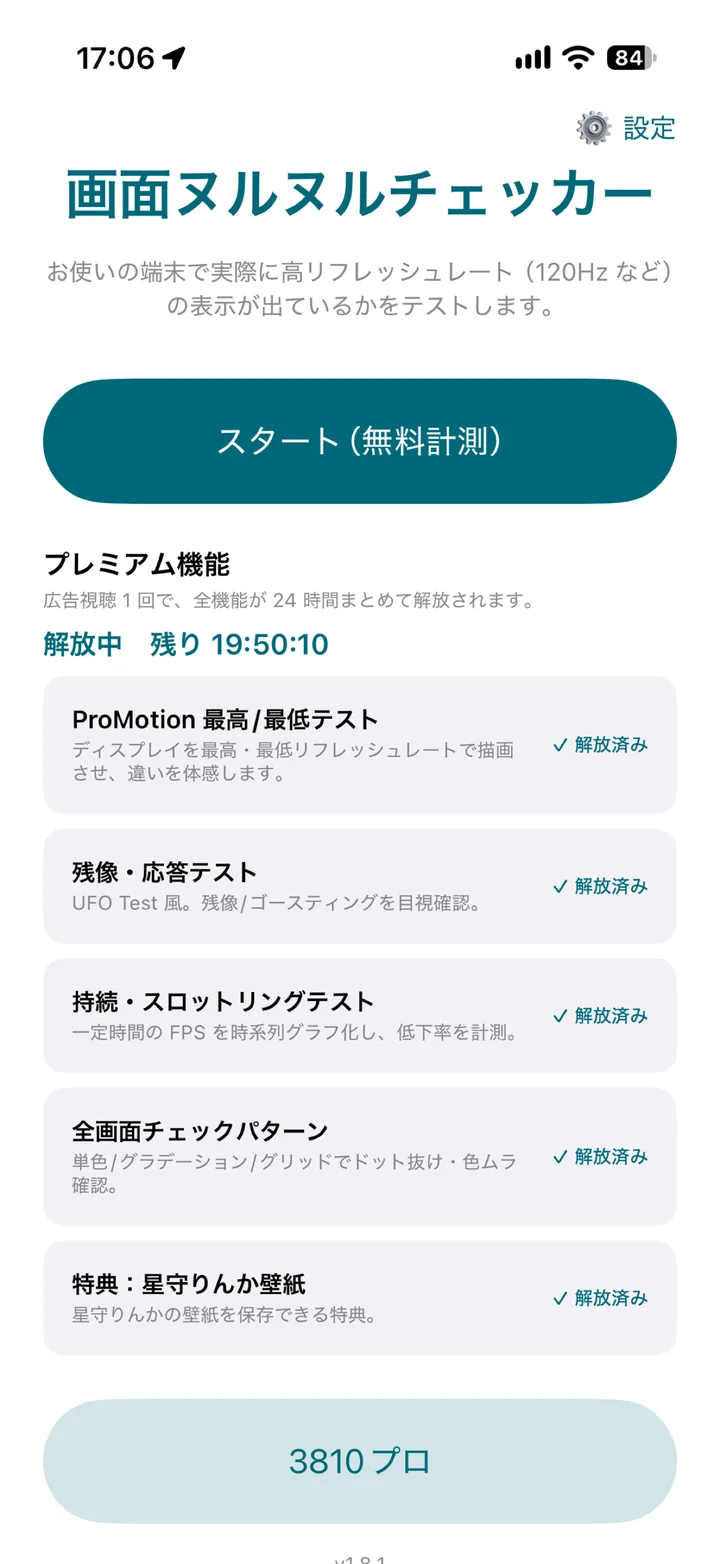
Your phone says 120Hz or 144Hz, but is it really that smooth? A free 15-second check measures your display's refresh rate and rendering performance on the real device, and shows where it ranks among phones of the same model.
🆓 15-second check 🏆 Same-model ranking ⚡ Reaction test 👻 Ghosting test 📈 Throttling test
On the App Store / iOS 17+, iPadOS 17+ / Free

Phone Checkup

Check a used phone in 3 minutes, before you buy or sell

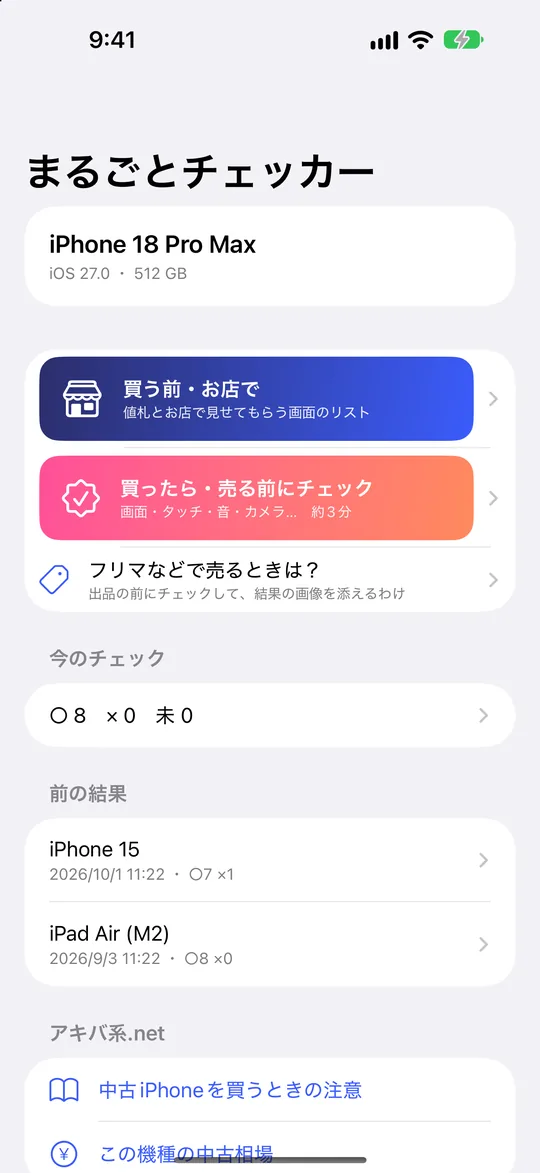
Go through the screen, touch, sound, cameras, buttons and charging one by one, then get the model name and a pass/fail list as a single image. Handy when you buy a used phone, before you sell one, or after a drop.

✅ 8 free checks 🏪 Checklist for buying 🖼️ Results as an image
On the App Store and Google Play / iOS 17+, Android 10+ / Free

Earbud Checker

Measure Bluetooth lag, check left/right and the mic

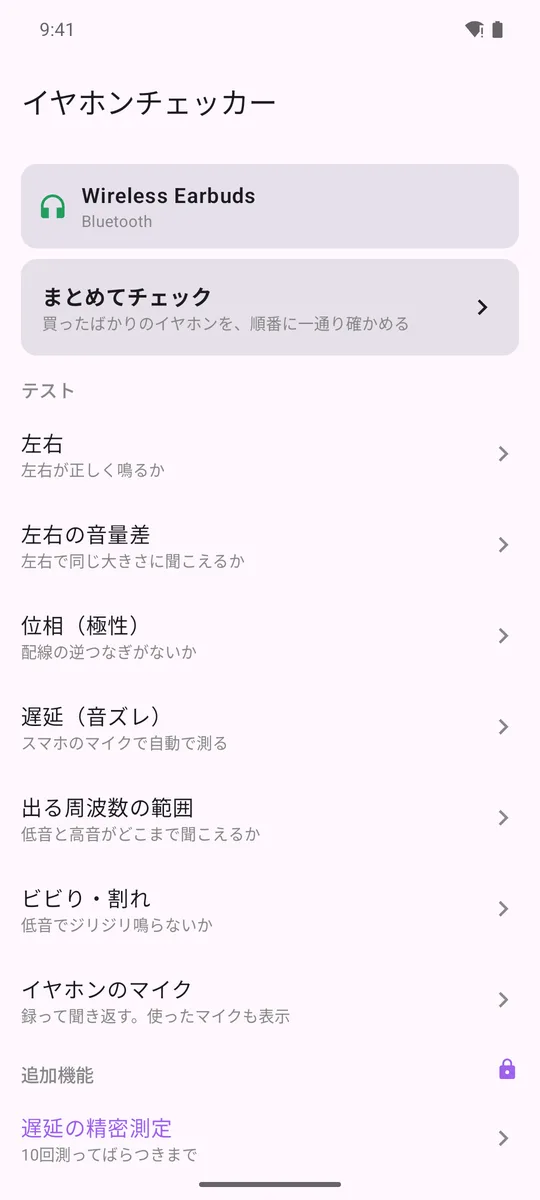
Measures the latency of your Bluetooth earbuds automatically with your phone's own microphone. Left/right, volume balance, phase, hearing range, rattles and the mic can all be checked in a few minutes with illustrated guides.

⏱️ Automatic latency test 👂 Left/right and balance 🎤 Mic test
On the App Store and Google Play / iOS 17+, Android / Free

Dashi Dashboard

Self-hosted analytics in widgets

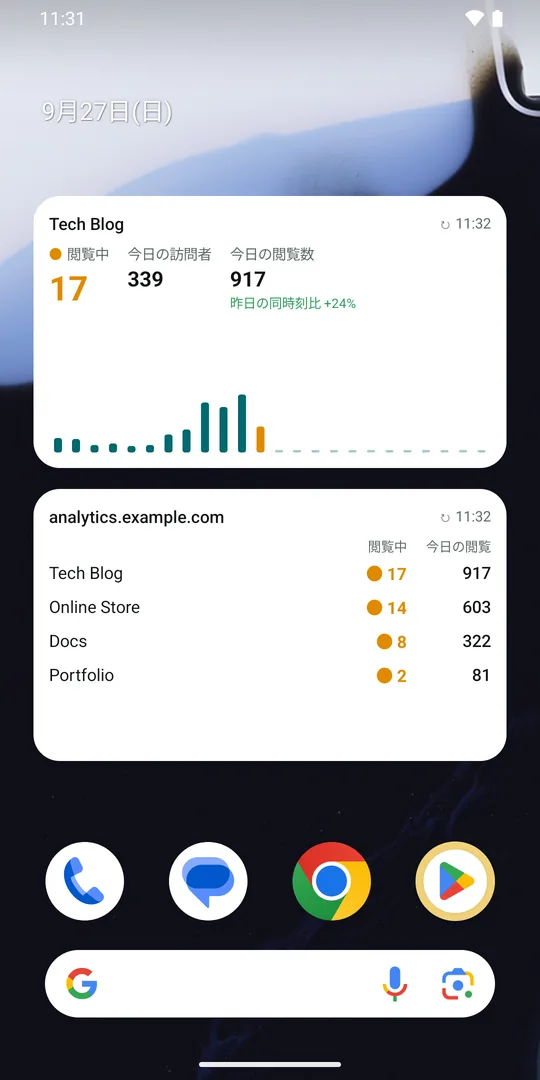
Your self-hosted Umami (open source web analytics) on your phone. See how many people are on your site right now and today's numbers at a glance with home screen widgets.

🏠 Home screen widgets 📊 Overview and charts ⚡ Realtime
Browser extension / Chrome Web Store, Firefox Add-ons and Edge Add-ons / Free version available

Post Image Zipper

Bulk save Patreon images as a zip

An extension for Chrome and Firefox (including Firefox for Android) that works with Patreon posts. Save the images in posts you can view at their original size, packed into a zip. Pro (one-time purchase) saves all of a creator's posts at once.

🖼️ Original size 🗜️ Packed into a zip 📚 Save all posts 🌐 9 languages
On the App Store / Safari extension for iPhone, iPad and Mac / Free version available

Post Image Zipper
for Safari

Bulk save Patreon images with just your iPhone

The Safari version of Post Image Zipper. No computer needed: save the images in Patreon posts you open in Safari on iPhone or iPad, at their original size, straight to Photos. It also works in Safari on Mac. Pro is a one-time purchase on the App Store.

📱 iPhone only, no PC 🖼️ Original size 📷 Straight to Photos 🎁 Discount offer until Nov 30
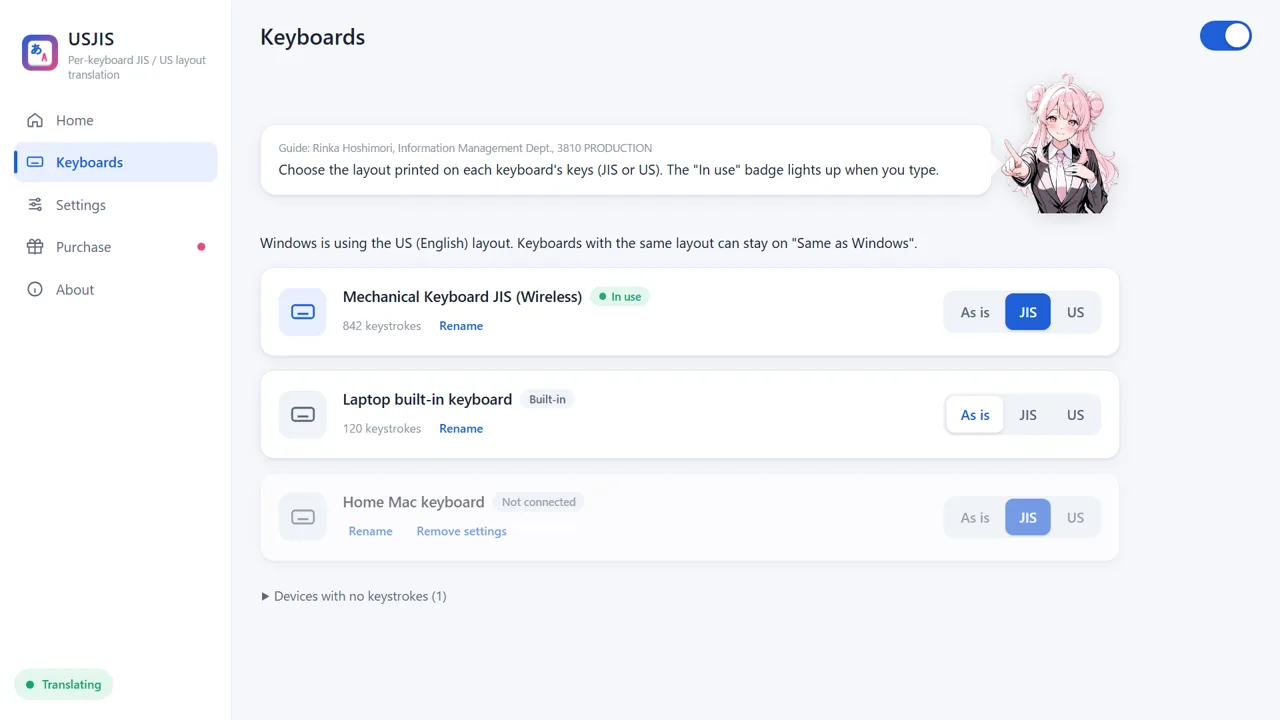
USJIS settings: the external keyboard set to JIS and the laptop's built-in keyboard set to the same layout as Windows
Windows app / Microsoft Store / 7-day free trial, USD 9.99 one-time

USJIS

JIS and US keyboards, each typing what is printed on its keys

Use a Japanese (JIS) external keyboard with a US laptop, or the other way around. This Windows app tells your keyboards apart and translates keystrokes to match each keyboard's own layout, without changing your Windows settings.

⌨️ Layout per keyboard 🔌 Remembers after replugging 🍎 Works with Apple keyboards ✋ Stop anytime with Ctrl+Shift+F12
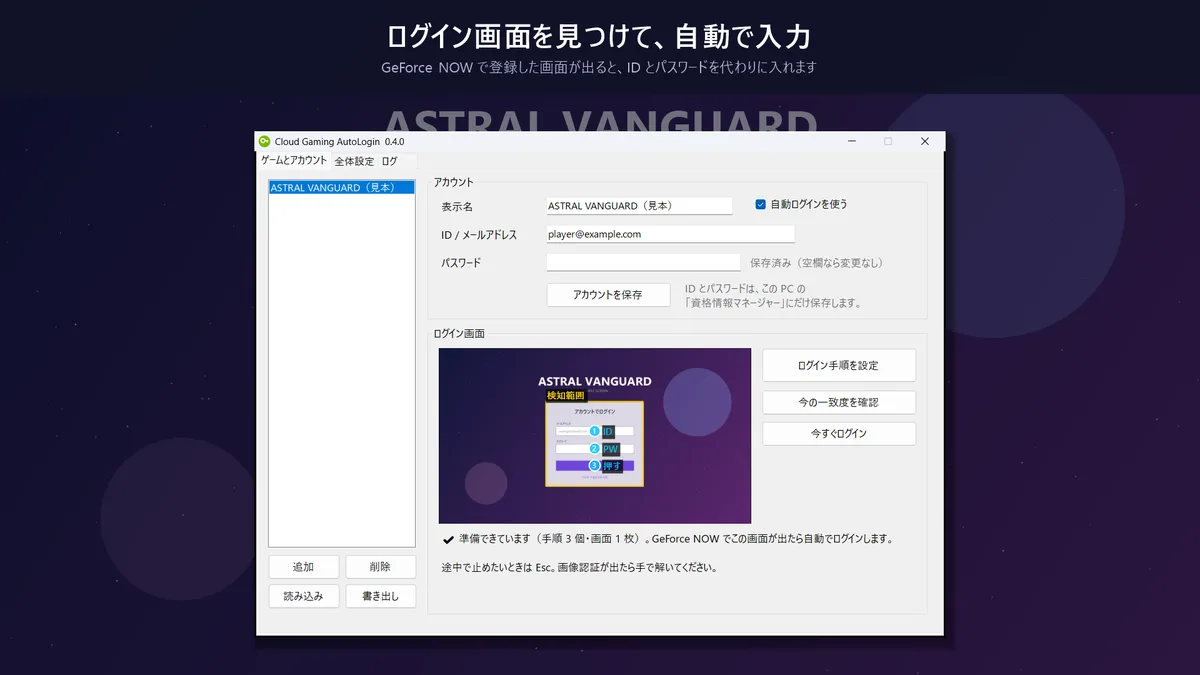
Cloud Gaming AutoLogin setting up the steps to enter an ID and password on the login screen of the sample game ASTRAL VANGUARD
Windows app / Microsoft Store / Free

Cloud Gaming AutoLogin

Fill in GeForce NOW game logins automatically

For games that make you sign in to the publisher's account every time they start, this Windows app types your ID and password into the login screen for you. Passwords are stored only in Windows Credential Manager.

🔑 Auto-fill ID and password 🧩 Build your own steps 🔒 Credential Manager ⏹ Stop anytime with Esc
Web tool / Free / No install

Controller Test

Check stick drift, buttons and rumble in your browser

Connect a PS5, Xbox, Switch Pro or other controller and press the buttons. See stick drift and unresponsive buttons right away, in numbers and pictures. Your input data is never sent anywhere.

🕹️ Drift check ⭕ Circle test 📳 Rumble test 🖼️ Results as an image